
 Cinder
 Bilbo
Bilbo Haplo AI
 Barrier
 ShipHappens
 Haplo AI Investing
 Markdown2PDF
 EasyLogo
 Annot8
App Store Keywords: How the Keyword Field Works
Apple's rules for the keyword field, name and subtitle as of September 2026, what App Store Connect actually enforces, and the way we pick the words.

Every App Store listing has a field nobody sees. The keyword field holds 100 characters of comma-separated words, never appears on your product page, and is one of the few inputs to App Store search that Apple explains in plain terms. Even so, Apple’s own pages don’t agree on how long it is, and the most common mistakes in it are ones Apple warns about by name.
We make ShipHappens, the Mac app we use to release our own nine apps. Between them, those apps have 212 keyword fields live across 32 App Store localizations. This guide sets out what Apple’s documentation says as of September 2026: what search reads, the rules for the keyword field, and what not to put in it. Then we look at what App Store Connect actually enforces and walk through how we choose the words.
What does App Store search read?
Apple’s App Store search page says results are based on a number of factors, “including text relevance (matches for your app’s title, subtitle, keywords, and primary category), as well as user behavior (downloads, ratings and reviews, and more).” Further down, it says your primary and optional secondary categories are both “indexed by our search algorithm”. App Store Connect Help adds that your app is searchable by its name and your company name.
Two pieces of text are missing from that list. The description isn’t named, and Apple’s product page guide says: “Don’t add unnecessary keywords to your description in an attempt to improve search results.” Promotional text is ruled out in so many words: it “doesn’t affect your app’s search ranking so it should not be used to display keywords.”

Limits and edit rules, from the product page guide and App Store Connect Help on app information and version information:
| Text | Limit | Matched by search? | When you can change it |
|---|---|---|---|
| App name | 30 characters | Yes | With a new version |
| Subtitle | 30 characters | Yes | With a new version |
| Keyword field | 100 characters | Yes | With a new version |
| Primary and secondary category | Picked from Apple’s list | Yes | With a new version |
| Description | 4,000 characters | Not in Apple’s list | With a new version |
| Promotional text | 170 characters | No | Any time |
Results can also show in-app purchases, In-App Events, and app tags that Apple generates with large language models from your metadata. Since October 2025 you can give custom product pages their own keywords, so a page built for one audience can appear in search in place of your default page, as long as “each keyword combination is unique to a single product page.” Each result shows your name, subtitle, rating and up to three screenshots or previews (our App Store screenshot sizes reference covers those).
How the keyword field works
Apple’s rules
From Apple’s search page, checked on 25 September 2026:
- Keywords are “limited to 100 characters total, with terms separated by commas and no spaces.” The commas count toward the 100.
- Spaces are allowed inside a phrase. Apple’s example is
Property,House,Real Estate. - Don’t repeat words that are already in your app name, subtitle or category.
- Skip plurals of words you’ve already used. Apple’s example is “climbs” and “climb”, which “are considered duplicates”.
- Skip generic terms that are too broad for your app or category, “such as ‘app’ or ‘game’“, and filler words like “the” and “to”.
- Skip special characters such as # or @ unless they’re part of your brand.
App Store Connect Help adds that you shouldn’t repeat your app name or company name, and that “Names of other apps or companies aren’t allowed.”
The repeat rule only makes sense if your name, subtitle, category and keyword field feed one pool of words. A word in any of them already counts, so repeating it, or adding its plural, wastes space.
Phrases or single words?
Apple’s example keeps “Real Estate” as a phrase, so phrases are allowed. We write single words anyway. A comma costs one character, like a space, so real,estate is 11 characters either way, and a single word can serve more than one search if search combines your words into phrases. Apple doesn’t document how far it does that, especially across fields, so the phrase that matters most goes intact into the name or subtitle.
Is the limit 100 characters or 100 bytes?
Apple’s pages disagree. The search page says 100 characters. The App Store Connect Help entry says “You can provide up to 100 bytes of content.” In English that’s the same thing; in other scripts it isn’t. In UTF-8, accented Latin letters, Greek, Cyrillic and Hebrew take two bytes each, and Thai, Hindi, Chinese, Japanese and Korean take three (RFC 3629). If bytes were the rule, a Thai keyword field would hold about 33 characters.
Our own listings settle it in practice. Of our 212 live keyword fields, 86 are longer than 100 bytes, and App Store Connect accepted every one. Our logo maker’s Thai field is 99 characters and 273 bytes. None of the 212 is over 100 characters. Write to 100 characters, and let App Store Connect’s counter have the final word.
The same entry says each keyword should be “greater than two characters”. That isn’t enforced either: our live fields hold 334 keywords of one or two characters, most of them Chinese, Japanese or Korean words such as 旅行 (“travel”). In English, we’d still follow the help page.
What not to put in your keywords
Apple is blunt: “Improper use of keywords is a common reason for App Store rejections.” Its search page lists four things to leave out:
- unauthorized use of trademarked terms, celebrity names, or other protected words and phrases
- terms that aren’t relevant to the app
- competing app names
- inappropriate, offensive or objectionable terms
App Review Guideline 2.3.7 (last updated 8 June 2026) asks for keywords that accurately describe your app and warns against packing metadata “with trademarked terms, popular app names, pricing information, or other irrelevant phrases just to game the system.” It adds: “Apple may modify inappropriate keywords at any time or take other appropriate steps to prevent abuse.” Guideline 5.2.1 covers trademarks and copycat names more broadly, and Apple’s search page notes that irrelevant categories are grounds for rejection too. Our guide to App Store rejection reasons covers what happens next.
Do keywords work in other languages?
Each localization of your listing has its own keyword field. Apple’s localization guide says that when you add a language, its properties “default to those of the primary language, except for the description and keywords”, so you write each language’s keywords yourself. People “can search for your app using localized keywords in all countries or regions where the App Store supports” that language. Which languages count in which storefronts is covered in our guide to which languages to localize your App Store page into first.
Translation is where keyword fields most often go wrong. Translate a field word by word and two things happen:
- It shrinks. Across our own listings, English fields average 98.4 characters, Simplified Chinese 42.8, Traditional Chinese 43.1, Korean 47.5 and Japanese 63.0. In Chinese and Korean, more than half the field sits empty.
- Words merge. An English field with both “travel” and “trip” becomes “viagem” twice in Portuguese, “Reise” twice in German and 旅行 twice in Chinese: characters spent on one word.
Treat a translated field as a first draft, and research that language’s searches before filling it.
How we choose keywords
This is our process, not an Apple rule.
Start from searches, not words
We write down about 20 searches a real person might type to find the app: a few single words, many two- and three-word phrases. Then we widen the list. We type each one into the App Store search bar and note the hints that appear, read the names and subtitles of the apps already showing up, and check the suggestions in Apple Ads, whose keyword suggestion tool “displays keyword popularity based on App Store searches.”
Check demand
For how often people search a term, Apple’s own signal is search popularity in Apple Ads, which its glossary calls “a relative indicator of an Apple Ads keyword’s popularity”, shown from 1 to 5. We use it to rank candidates against each other, never as a traffic estimate.
Check the competition
Apple’s search page spells out the trade-off: popular, functional terms such as “jobs” or “social” “may drive a lot of traffic, but are highly competitive”, especially for newer or smaller apps. We look at the ten apps already showing for each search: how many ratings they have, and how many carry the whole search in their name. A trip planner’s list on 25 September 2026, US store, via Apple’s public iTunes Search API:
| Search | Median ratings of the top 10 | Top 10 with every word in the name |
|---|---|---|
| travel | about 601,000 | 5 |
| trip planner | about 21,300 | 3 |
| itinerary planner | about 9,900 | 1 |
| road trip planner | about 8,600 | 4 |
| packing list | about 52 | 8 |
“Travel” is the kind of term Apple warns about: five of its top ten have more than 700,000 ratings each. “Itinerary planner” is more promising, with much smaller leaders and only one of the ten with both words in its name. “Packing list” looks easiest of all, which is why the next check exists. The API’s order isn’t guaranteed to match the App Store app’s, so we treat it as a guide to who’s there, not an exact ranking.
Cut anything that fails the intent test
Would the person typing this search want this app? People searching “packing list” are probably after a checklist, not an itinerary planner, so it goes, however good its numbers look. So do terms too broad to say what someone wants (“tracker” could mean sleep, budget or flights). Apple’s advice points the same way: “Be specific when describing your app’s features and functionality.”
Build around one or two phrases
We pick one or two phrases the app can realistically win. The first goes intact into the name or subtitle; for the subtitle, Apple suggests you “highlight features or typical uses of your app”. Every other phrase worth having is broken into single words, anything already in the name, subtitle or category comes out, and the rest fill the field to 95 to 100 characters. Then we check it against Apple’s rules.
Measure after release
Keywords belong to an app version, so every change waits for a release; they’re a line in our release checklist. After each release we follow the app’s rank for its main phrases, and its impressions and downloads from App Store search in App Analytics, which can filter by source type.
Ranking takes more than words. Apple’s list of search factors includes user behaviour, and ratings and reviews “can influence how your app ranks in App Store search.” A new app with a handful of ratings can match a search’s words exactly and still sit far down the results. The keyword field gets an app considered for a search. Where it lands depends on much more.
App Store keywords FAQ
How many characters can App Store keywords be?
100, including the commas. App Store Connect Help describes the limit as 100 bytes, but App Store Connect counted characters for us: 86 of our live fields are over 100 bytes, all in languages with accented or non-Latin letters.
Does the App Store description affect search?
It isn’t in Apple’s list of what search matches, and Apple advises against adding keywords to it. Write it for people. Promotional text, by Apple’s own statement, doesn’t affect ranking at all.
How often can you change App Store keywords?
With each new version. Keywords are part of a version’s information in App Store Connect, like the description. Promotional text can change at any time.
Can you use a competitor’s app name as a keyword?
No. Apple’s search page lists “competing app names” among the terms to leave out, App Store Connect Help says names of other apps or companies aren’t allowed, and Guideline 2.3.7 rules out “popular app names”.
How we made this
We read the Apple pages listed under Sources on 25 September 2026 and copied every quote from them.
The listing data comes from the App Store Connect API: for every localization of the live version of each of our nine apps, the keyword field, name and subtitle. We counted characters (as Unicode code points) and UTF-8 bytes with a script. The competition table comes from the iTunes Search API, US store, 100 results deep, on the same day.
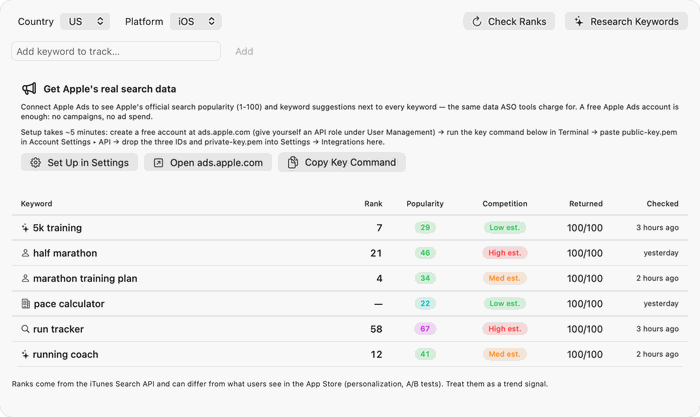
The process in “How we choose keywords” is the one we built into ShipHappens. Its keyword page follows where an app ranks for each search, shows Apple Ads search popularity when an Apple Ads account is connected, and runs every proposed keyword field through a checker for length, repeated words, plurals and generic or filler words before we apply it. The photos are from Wikimedia Commons.
Sources
- Apple Developer. App Store search, Creating your product page and Custom product pages.
- Apple Developer News. Enhancements to help you submit and market your apps and games. 29 October 2025.
- App Store Connect Help. Platform version information, App information, Required, localizable, and editable properties and Localize app information.
- Apple. App Review Guidelines, 2.3.7 and 5.2.1. Last updated 8 June 2026.
- Apple Ads. Glossary and Keywords best practices.
- Apple. iTunes Search API.
- Yergeau F. UTF-8, a transformation format of ISO 10646. RFC 3629, November 2003.
Image credits
- Metal letterpress type in a wooden type case, with a line of set type in a composing stick · Photo: Willi Heidelbach, CC BY 2.5 (Resized)
- Card catalogue drawers · Photo: Carolina Prysyazhnyuk, CC BY-SA 2.0 (Resized)
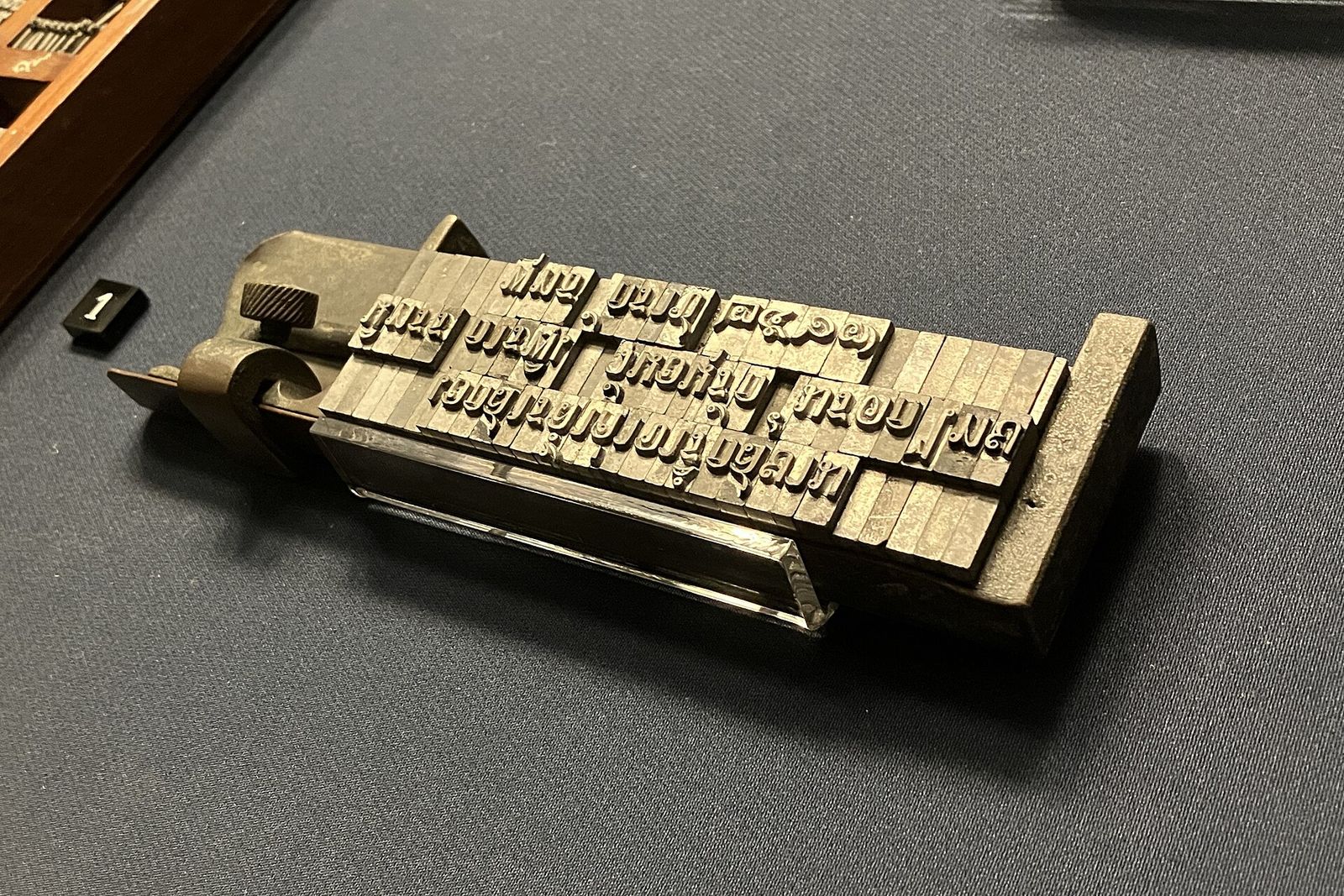
- Thai movable type on a composing stick, Bangkok National Museum · Photo: Paul_012, CC BY-SA 4.0 (Resized)