 Cinder
 Bilbo
Bilbo Haplo AI
 Barrier
 ShipHappens
 Haplo AI Investing
 Markdown2PDF
 EasyLogo
 Annot8
How to Stop Doomscrolling: A 14-Day Plan
Two weeks of small changes, each tied to a study, ending in a phone schedule you can set up tonight. Plus what cutting back can and can't do for your mood.
Doomscrolling rarely feels like a choice. You open an app to check one thing and look up much later, often feeling a little worse. Knowing that doesn’t help much in the moment, so this plan for how to stop doomscrolling doesn’t rely on willpower. It changes the phone instead: one step at a time over 14 days, each tied to a study, ending in a schedule you can keep. We make Barrier, an iPhone app that locks the apps you choose on a schedule, but every step works with Screen Time on an iPhone or Digital Wellbeing on Android.
This is a plan for changing a habit, not a treatment. If your scrolling is tangled up with low mood or anxiety that won’t lift, talk to your doctor or a therapist.
What is doomscrolling?
Doomscrolling is scrolling through bad news, or any feed, long past the point where it’s doing you any good.
It can dent your mood fast. In two experiments published in 2021, 2 to 4 minutes of COVID-related news, on a live Twitter feed (299 people) or in a YouTube video (603 people), left people in a less positive mood than seeing nothing. Stories of kind acts from the same pandemic didn’t.
For some people, it starts to feel out of control. A national US survey put 16.5 percent of the adults surveyed in a “severely problematic” news group, preoccupied by the news, struggling to stop and finding it got in the way of daily life, and that group reported worse mental and physical well-being. A repeat study found a smaller group, 7.5 percent, and over time confirmed the link with mental but not physical health. Surveys can’t show cause: anxious people may simply seek out more news.
Why is it so hard to stop doomscrolling?
Most checks start with you. In a study by London School of Economics researchers, 37 people wore small cameras that filmed their days from their own point of view. Of 1,130 phone interactions, 89 percent were started by the user, not by a notification. Turning off alerts helps, but the habit is the bigger target.
Bad news wins clicks. In 22,743 randomized headline tests on the news site Upworthy, each extra negative word in a headline of average length raised the click-through rate by 2.3 percent.
In-the-moment willpower is weak. In a field experiment published in the American Economic Review, letting people set limits on their future screen time substantially cut their use. The economists estimated that self-control problems cause 31 percent of social media use, and found people only partly aware of them. So decide in advance and let the phone hold the line.
What cutting back can and can’t do
Trials find real but modest benefits, and they favour cutting down over quitting:
- Cutting down beat quitting. In a German experiment with 619 smartphone users, a week without the phone and an hour less a day both reduced depression and anxiety symptoms, but most effects were stronger, and lasted better over four months, with the hour less.
- A daily cap helped. At the University of Pennsylvania, 143 people were randomly assigned to limit Facebook, Instagram and Snapchat to 10 minutes each a day or carry on as usual. After three weeks, the limited group had less depression and loneliness, especially those who started out more depressed.
- Across trials, the effect is small. A 2025 meta-analysis of 10 randomized trials with 1,491 people found that limiting or stopping social media eased depression symptoms, with a small effect size of 0.25.
- A break alone may not lift your mood. Another 2025 meta-analysis, of 10 studies with 4,674 people, found that social media breaks had no significant effect on mood or life satisfaction.
So expect modest changes in how you feel. The surer win is the time itself, and choosing when you pick up the phone.
The 14-day plan to stop doomscrolling
| Days | Focus | What you do |
|---|---|---|
| 1 and 2 | Measure | Change nothing; write down your real numbers |
| 3 | Notifications | Switch off feed alerts, batch the rest |
| 4 | Friction | Move feeds off your Home Screen, add a pause, try grayscale |
| 5 to 7 | Three windows | Lock feeds overnight, in focus time and in your worst window |
| 8 to 10 | News | Read the news at set times, from sources that end |
| 11 to 13 | Cap and plans | Cap what’s left, write three if-then plans |
| 14 | Review | Compare with day 1, keep what worked |
Days 1 and 2: measure, don’t change anything
Your own estimate won’t do: a 2021 meta-analysis of 106 comparisons found that self-reported media use lines up only moderately with logged use. So read the numbers your phone keeps. On an iPhone, that’s the daily and weekly summary in Settings, then Screen Time, which Apple says includes your most used apps and how often you pick the phone up. On Android, it’s the chart in Digital Wellbeing. Write down:
- your daily average and your three most used apps
- your pickups per day
- your doom windows: the times a quick check turns into a long session. Note the time whenever you catch yourself.
Day 3: turn off feed alerts and batch the rest
In a randomized experiment with 237 adults in India, people whose notifications came in three batches a day, at 9am, 3pm and 9pm, felt more attentive, productive and in control of their phones over two weeks, with better mood and less stress. Hourly batches made little difference, and no notifications at all brought more anxiety and fear of missing out. So:
- Turn off notifications from social, video and news apps.
- Keep calls and messages from people immediate.
- Put the rest in a Scheduled Summary three times a day (Settings, then Notifications).
Day 4: put a pause in front of the feed
In a six-week field experiment with 280 people, an app met every attempt to open a chosen app with a short wait, a message and the option to back out. People backed out 36 percent of the time, their attempts fell 37 percent from the first week, and openings fell 57 percent in all. In a follow-up online experiment with 500 people, the option to back out did the most work; the wait helped too, and the message didn’t. One author created the app tested, so treat the effect size with care.
Today:
- Move feed apps off the Home Screen, so opening one takes a search.
- Add a pause with an easy way out; some app blockers offer a short, cancellable wait before your apps unlock.
- Turn on grayscale: Settings, then Accessibility, then Display & Text Size, then Color Filters, and choose Grayscale. In a preregistered experiment with 112 people, grayscale cut measured screen time straight away, faster than committing to time limits, though it didn’t immediately improve well-being.
Days 5 to 7: lock three windows
Now the core: schedules that lock your feed apps when you lose the most time and switch on by themselves. It’s the advance commitment from the economics study, made once instead of in the moment.
- Overnight, from an hour before bed to an hour after you get up. Why your phone keeps you up covers the sleep research. Charge the phone outside the bedroom if you can.
- Focus time, such as 9am to 12pm on weekdays. Students, see a study mode for your phone.
- Your worst window, from your notes: the commute, lunch, the sofa after dinner.
Lock social, video and news apps, and keep calls, messages, maps and anything you’d need in an emergency available. Leave a small way out for real needs, such as a 10-minute unlock that locks again by itself. A slow exit beats switching the whole schedule off the first time a group chat needs you.

Days 8 to 10: get the news from sources that end
The aim is to meet the news on your schedule, not to stop following it. After the Boston Marathon bombings, a survey of 4,675 people found that six or more hours a day of bombing-related media in the following week was linked to more acute stress than direct exposure to the bombings. And across 48 markets, the Reuters Institute’s 2026 Digital News Report found social media and video networks have overtaken news organisations’ own sites and apps as the most common way to get news online. For many of us, news and feed are the same thing.
- Pick two 15-minute check-ins a day, such as 8am and 6pm.
- Use sources that end: a daily newsletter, a news site’s front page, a bulletin, a paper.
- Lock news apps outside those times.
- Mute accounts that mostly post outrage, and follow a few that post things you enjoy. In the 2021 experiments, stories of kindness didn’t dent people’s mood.
Days 11 to 13: set a daily cap and three if-then plans
Cap what’s left: 30 minutes a day across your social apps matches the Pennsylvania study, at 10 minutes on each of three platforms. On an iPhone with iOS 27, that’s a Time Allowance; on Android, an App timer.
Then write three if-then plans. In a meta-analysis of 94 tests, plans that take the form if this happens, then I will do that had a medium-to-large effect on reaching goals. Make yours specific:
- If I get into bed, then my phone goes on the charger across the room.
- If I’m waiting in a queue, then I open my book, not a feed.
- If I’ve watched three videos in a row, then I lock the phone and stand up.
Day 14: compare, keep what worked
Compare today’s numbers with days 1 and 2: daily average, pickups and time in your top three apps. Keep what helped; shorten a window that was too strict rather than deleting it. For a target to aim at, see how much screen time is too much.
Expect the habit to take longer than the plan. In a well-known habit study, a new daily behaviour took 66 days on average to become as automatic as it would get, anywhere from 18 days to a predicted 254, and a single missed day made little difference. One bad evening isn’t a reason to start over.
Your phone schedule after day 14
Move the example times to fit your day:
| Window | Example times | What’s locked | Way out |
|---|---|---|---|
| Overnight | 10pm to 8am, every day | Social, video, news | None; calls and messages stay open |
| Focus | 9am to 12pm and 1pm to 5pm, weekdays | Social, video, news | A 10-minute unlock after a pause |
| Your worst window | 6:30pm to 8pm, every day | Social, video | A 10-minute unlock after a pause |
Add the 30-minute social cap, two news check-ins, batched notifications and grayscale, if it helped.
Setting it up on iPhone
In iOS 27, Screen Time is built around Screen Time Schedules and Time Allowances. In Settings, then Screen Time, then Screen Time Schedule, turn on Schedule, add schedules for the days you want, and give each time window a start, a stop and the app categories allowed in it. Time Allowances set a daily total and totals for categories such as Social Media, and Always Allowed keeps the apps and contacts you choose available. Both need iOS 27 on all your Apple devices. For every setting in detail, and older versions, see iPhone Screen Time, explained.
Setting it up on Android
In Digital Wellbeing, Focus mode pauses chosen apps on a schedule, Bedtime mode can turn the screen grayscale at night, and App timers close an app when your daily time runs out.
Doomscrolling FAQ
Is doomscrolling bad for you?
A few minutes of bad news can lower your mood, and people whose news habits feel out of control report worse well-being. But much of that is survey evidence, and trials of cutting back find small effects. It’s worth changing if it costs you sleep, time or calm, but it’s no reason to panic.
Should you quit social media to stop doomscrolling?
Cutting down looks like the better bet: in the German experiment, an hour less a day did better than a week off and held up longer, and the 2025 meta-analysis of breaks found no significant effect on mood. If one app keeps defeating moderation, deleting it is reasonable.
How long does it take to stop doomscrolling?
Longer than two weeks. In the habit study above, new daily habits took 66 days on average to become automatic; meanwhile, the plan gives the old one fewer chances.
How we made this
Study figures come from each paper’s full text or PubMed abstract, or for the habit and Pennsylvania studies, the summaries linked above. Phone steps come from Apple’s and Google’s help pages. The 14-day order and the schedule are our suggestion: each step comes from a study, but nobody has tested the plan as a whole.
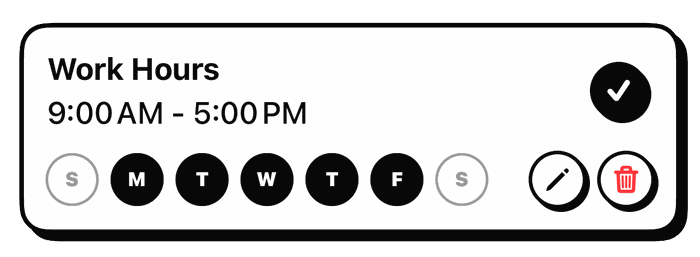
In Barrier, each window is a blocking schedule with its own days and times, overnight ones included. Unlocking during a schedule starts a 30-second countdown you can cancel; from your fifth unlock on, a video ad takes its place when one is available, which is how the app stays free. The unlock lasts 10 minutes unless you change it, the time left shows on your Lock Screen, and the apps lock again by themselves. You can’t lengthen the unlock or edit a schedule while your apps are locked, and a daily goal counts the days you stay under it. These details come from the app’s source code. The photos are from Wikimedia Commons.
References
- Buchanan K, et al. Brief exposure to social media during the COVID-19 pandemic. PLOS One, 2021.
- McLaughlin B, et al. Caught in a Dangerous World. Health Communication, 2023; and the replication study, 2025.
- Heitmayer M, Lahlou S. Why are smartphones disruptive? Computers in Human Behavior, 2021.
- Robertson CE, et al. Negativity drives online news consumption. Nature Human Behaviour, 2023.
- Allcott H, Gentzkow M, Song L. Digital Addiction. American Economic Review, 2022.
- Brailovskaia J, et al. Finding the “sweet spot” of smartphone use. Journal of Experimental Psychology: Applied, 2023.
- Hunt MG, et al. No More FOMO. Journal of Social and Clinical Psychology, 2018. University release.
- May W, et al. Reducing Social Media Use Decreases Depression Symptoms. European Journal of Investigation in Health, Psychology and Education, 2025.
- Lemahieu L, et al. The effects of social media abstinence on affective well-being and life satisfaction. Scientific Reports, 2025.
- Parry DA, et al. A systematic review and meta-analysis of discrepancies between logged and self-reported digital media use. Nature Human Behaviour, 2021.
- Fitz N, et al. Batching smartphone notifications can improve well-being. Computers in Human Behavior, 2019.
- Grüning DJ, et al. Directing smartphone use through the self-nudge app one sec. PNAS, 2023.
- Zimmermann L, Sobolev M. Digital Strategies for Screen Time Reduction. Cyberpsychology, Behavior, and Social Networking, 2023.
- Holman EA, et al. Media’s role in broadcasting acute stress following the Boston Marathon bombings. PNAS, 2014.
- Reuters Institute. Digital News Report 2026.
- Gollwitzer PM, Sheeran P. Implementation intentions and goal achievement. Advances in Experimental Social Psychology, 2006.
- Lally P, et al. How are habits formed. European Journal of Social Psychology, 2010. BPS Research Digest summary.
Image credits
- Hands-coffee-smartphone-technology (23698591814) · Photo: www.Pixel.la Free Stock Photos, CC0 (Resized)
- Hourglasses · Photo: Aaaatu, CC BY-SA 4.0 (Resized)
- The use of Nightstand · Photo: Brad Coy, CC BY 2.0 (Resized)