
 Cinder
 Bilbo
Bilbo Haplo AI
 Barrier
 ShipHappens
 Haplo AI Investing
 Markdown2PDF
 EasyLogo
 Annot8
Logo Sizes Cheat Sheet
Every size here comes from the platform's own help page, checked in September 2026: profile pictures, favicons, app icons and print. Plus the one master file to keep, and how to make every other size from it.
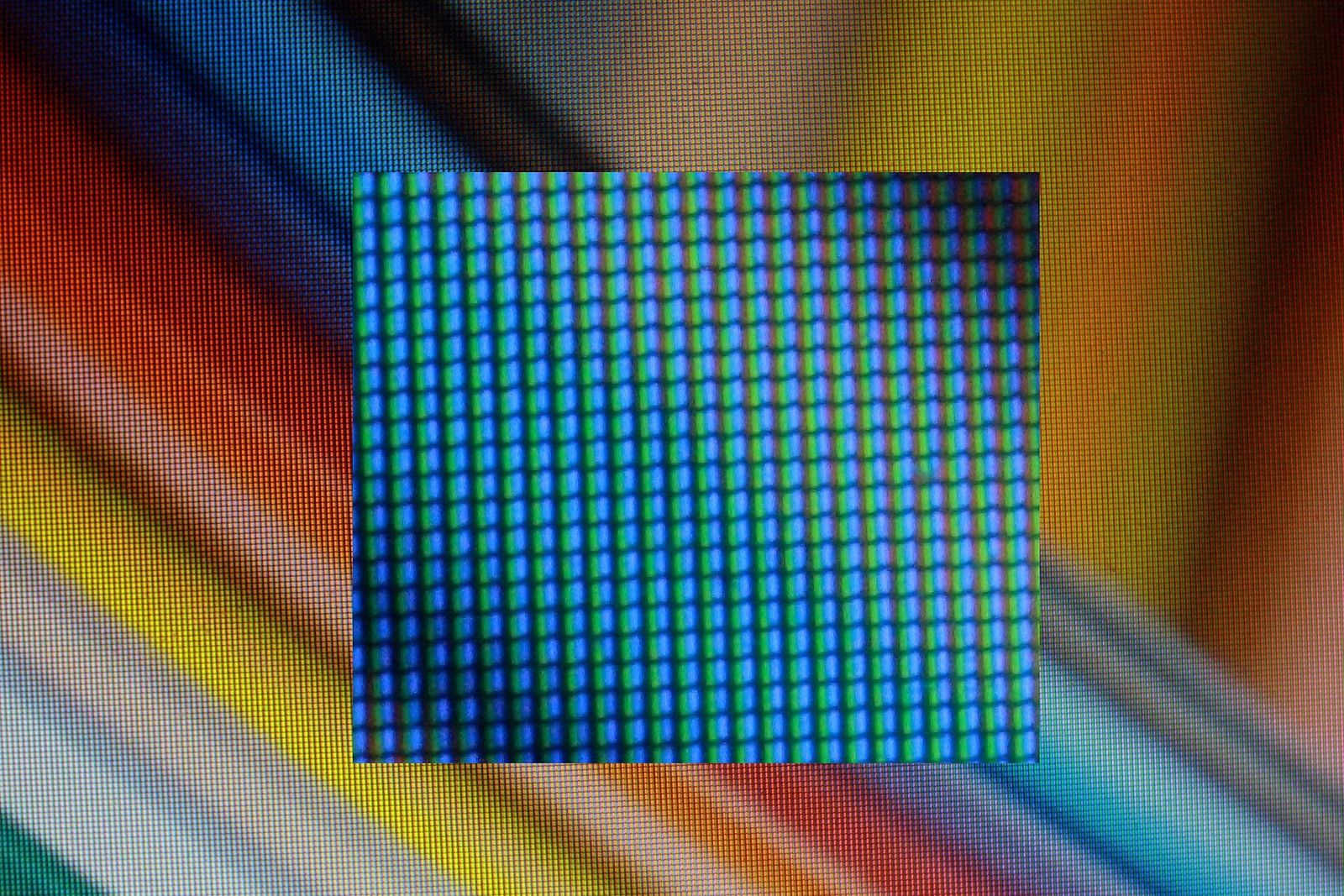
Every place your logo goes wants its own square. X asks for 400 × 400 pixels, a Facebook Page for 320 × 320, Google Play for exactly 512 × 512, Apple for 1024 × 1024, and a printer wants 300 pixels for every printed inch. Logo size charts online often disagree, and the platforms keep revising their help pages.
So every size in this guide comes from the platform’s own help page, read on 25 September 2026 and linked where the number appears. Platforms whose own pages don’t give a size, as far as we could find (Instagram and TikTok among them), aren’t in the tables. We make EasyLogo, a logo maker built on a grid of dots, and drew the example logos in it.
What size should a logo be? The short answer
There’s no single right logo size. Keep one master file, ideally an SVG, which is a vector and stays sharp at any size, and export a square PNG from it for each place the logo goes:
| Where it goes | What to export |
|---|---|
| Your master copy | SVG |
| Apple app icon (iOS, iPadOS, macOS) | 1024 × 1024 |
| Google Play store icon | 512 × 512, on a solid background |
| Web app icons | 192 × 192 and 512 × 512 |
| iPhone and iPad home screens (apple-touch-icon) | 180 × 180 |
| Favicon for Google Search | A square larger than 48 × 48, such as 96 × 96 |
| X, LinkedIn and Mastodon profiles | 400 × 400 |
| Facebook Page profile picture | 320 × 320 |
| Google Business Profile | 720 × 720 |
| 300 pixels per inch at the printed size, or the SVG |
Use PNG, not JPG. MDN’s image format guide recommends lossless formats for logos and line art, because lossy compression leaves visible blur around sharp edges, and JPEG can’t store transparency at all.
Profile picture sizes for social media
| Platform | Size to upload | What the help page adds |
|---|---|---|
| X | 400 × 400 | JPEG, GIF or PNG, up to 2 MB. Headers are 1500 × 500. |
| LinkedIn Page | 400 × 400 (268 × 268 minimum) | PNG or JPEG, up to 3 MB. A transparent logo is shown on white. |
| Facebook Page | 320 × 320 | Cropped to a circle. Shown at 176 × 176 on computers and 196 × 196 on smartphones. |
| YouTube | No upload size given; renders at 98 × 98 | JPG, GIF, BMP or PNG, up to 15 MB |
| Mastodon | Downscaled to 400 × 400 | WEBP, PNG, GIF or JPG, up to 2 MB |
| Google Business Profile | 720 × 720 (250 × 250 minimum) | JPG or PNG, 10 KB to 5 MB |
What you upload is bigger than what people see: Facebook asks for 320 × 320 but shows the picture at 176 × 176 on a computer, so upload the size each page asks for. YouTube only gives the rendered size, so we’d reuse the 400 × 400 file there.
Mind the background, too. LinkedIn shows a transparent logo on white, and Facebook suggests PNG for pictures with a logo or text in them. For profile pictures, a mark on a solid square of colour is the safe choice.
Will your logo survive a circle crop?
Facebook crops the Page profile picture to a circle, so a square logo loses its corners. On a grid of dots, it’s easy to see what falls outside the largest circle that fits: on any square grid of 4 × 4 or more, the four corner dots do. On a 5 × 5 grid they’re the only ones (each is 2.83 cells from the centre, against a radius of 2.5 cells), and on a 7 × 7 grid the two dots beside each corner go too, twelve in all. Keep important strokes off those dots, or shrink the whole mark before you export, as shown further down.
Favicon sizes
Three sets of rules matter for favicons and the icons that go with them.
Google Search. Google’s favicon guidelines, updated on 28 August 2026, require a square favicon of at least 8 × 8 pixels and recommend one larger than 48 × 48. Google supports BMP, GIF, ICO, PNG, JPEG, PPM and TIFF. SVG isn’t on that list, so if your favicon is an SVG, add a PNG or ICO too. Google shows one favicon per hostname, found through a <link> tag on your home page.
iPhone and iPad home screens. When someone adds your site to a home screen, iOS uses its apple-touch-icon. Apple’s Safari web content guide gives example sizes of 180 × 180 for iPhone and 152 × 152 and 167 × 167 for iPad, in PNG. One 180 × 180 file serves both, because iOS falls back to the smallest icon larger than the size it wants, and naming it apple-touch-icon.png in your site’s root folder covers every page.
Web app icons. With a web app manifest, Chromium needs at least a 192 × 192 and a 512 × 512 icon. Android shows transparent web app icons inside white circles, so add a maskable icon as well: an opaque image with padding that the browser crops to the device’s shape. Keep the logo inside a central circle whose radius is 40 percent of the icon’s width, about 410 pixels across on a 512 icon, because the outer 10 percent may be cropped. Make it a separate file, since web.dev warns that using a maskable icon as the ordinary one makes the logo look small.
The tags, in the forms Google’s, Apple’s and web.dev’s pages use:
<link rel="icon" href="/favicon-96.png">
<link rel="apple-touch-icon" sizes="180x180" href="/apple-touch-icon.png">
<link rel="manifest" href="/manifest.json">
Design the small version first
Fine detail disappears at favicon size. A screen can’t draw a line thinner than a pixel crisply, so it spreads the line across neighbouring pixels as a paler, blurrier one.
Here’s the same idea drawn twice. The full mark uses a 7 × 7 grid and a stroke of 8 on the web editor’s 500-pixel canvas, which is 1.6 percent of the logo’s width. In a 48-pixel favicon, that’s 0.77 of a pixel: the rays and the blue snowcap turn pale and fuzzy, and by 16 pixels they’ve almost gone. The small-size cut drops those details, moves to a 5 × 5 grid and triples the stroke, which still comes out at 2.3 pixels.


Keep both: the full mark for print and large screens, the small cut for favicons and profile pictures. Still designing the mark? Our minimalist logo guide goes step by step.
App icon sizes
| Platform | Size | What the help page adds |
|---|---|---|
| Apple: iOS, iPadOS, macOS | 1024 × 1024 | Built from layers; the system masks it to a rounded square |
| Apple Watch | 1088 × 1088 | Masked to a circle |
| Google Play listing | 512 × 512 | 32-bit PNG in sRGB, up to 1024 KB, a full square with no shadow |
| Android launcher | Layers of 108 × 108 dp | Logo between 48 × 48 and 66 × 66 dp, in the centre |
Apple. The app icon guidelines, last revised on 8 June 2026, give a 1024 × 1024 canvas for iOS, iPadOS and macOS. You build the icon from layers in Icon Composer, a design tool included with Xcode that can add a solid or gradient background itself, and Apple says to prefer vector graphics for the layers. So an SVG of your mark on a transparent background is the ideal start. Apple also notes that text in icons is often too small to read.
Google Play. Upload a full square at exactly 512 × 512. Play rounds the corners itself, with a radius of 30 percent of the icon’s size (about 154 pixels), and adds its own drop shadow, so leave both out. Use a solid background, because transparent areas show the colour of Google Play’s own interface.
Android launcher icons. Adaptive icons are built from a foreground and a background layer, each 108 × 108 dp. Keep the logo between 48 and 66 dp across, centred: no manufacturer’s mask clips the inner 66 dp, and the outer 18 dp on each side is reserved for masking and effects such as parallax. That’s the middle 61 percent of the layer.
Logo size for print
VistaPrint’s help centre says to use at least 300 pixels per inch at the size you’ll print, and a vector file, such as a logo, whenever possible. So the printed width in inches times 300 gives the pixels you need. For millimetres, divide by 25.4 first.
| Printed width of the logo | Pixels needed at 300 ppi | Is a 1024-pixel PNG enough? |
|---|---|---|
| 1 inch (a logo on a business card) | 300 | Yes |
| 2 inches (a letterhead) | 600 | Yes |
| 3.41 inches (86.7 mm) | 1,024 | Only just |
| 6 inches (a flyer) | 1,800 | No, use the SVG |
| 36 inches (a banner) | 10,800 | No, use the SVG |
VistaPrint’s standard business card is 3.5 × 2 inches, or 1050 × 600 pixels at 300 ppi. Edge-to-edge artwork should fill the 3.61 × 2.11 inch bleed area (1083 × 633 pixels), and your logo belongs inside the 3.36 × 1.86 inch safe area (1008 × 558 pixels).
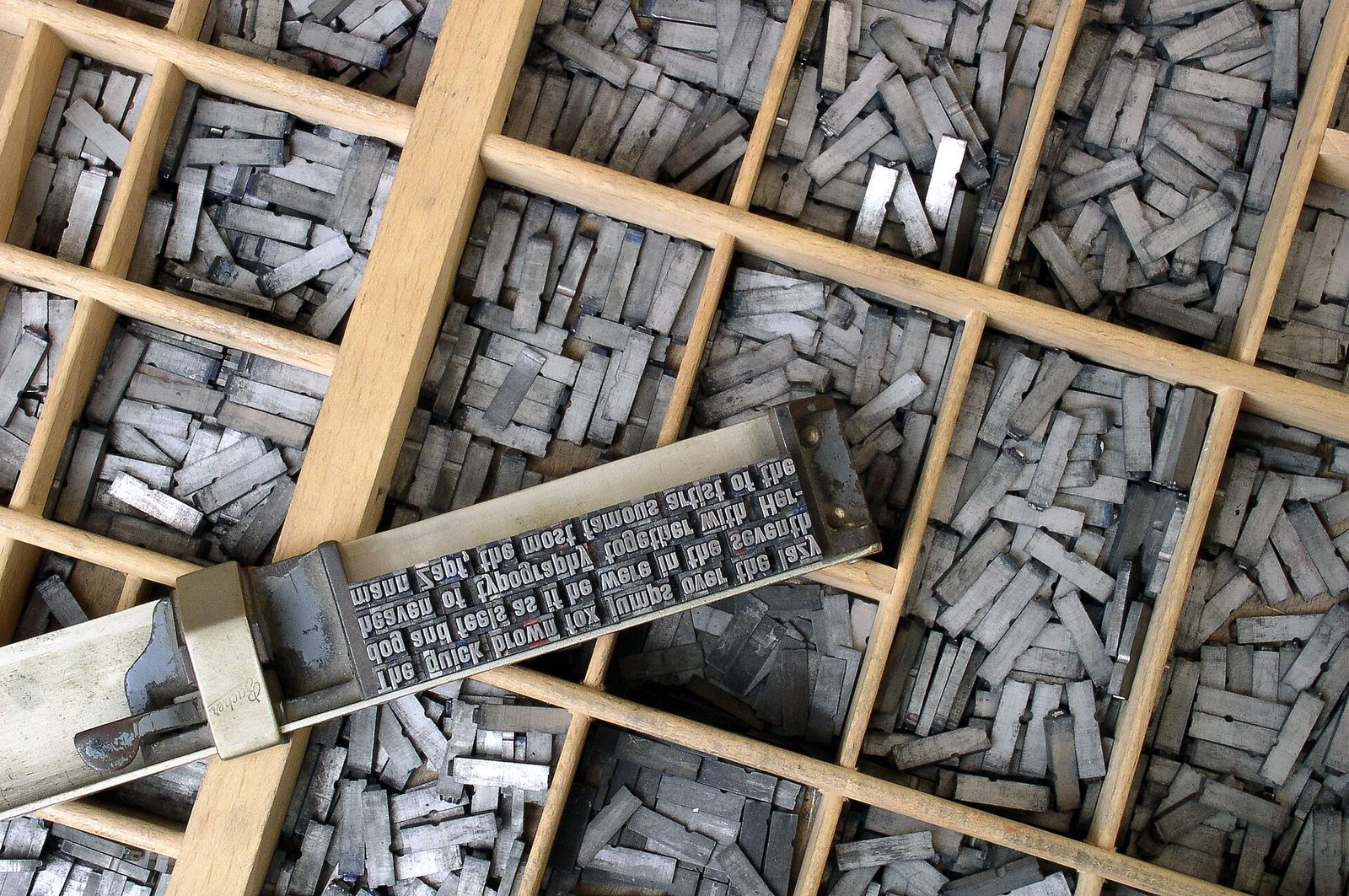
Check the file types before you upload. VistaPrint accepts PDF, AI, PSD, BMP, GIF, JPG, PNG, TIF and HEIC, and recommends AI, PDF and PSD. SVG isn’t on that list, although its article on raster and vector images calls SVG a vector format. If your printer won’t take SVG, convert it to a PDF (one command, below) or send a PNG big enough for the table above.
How to export your logo from EasyLogo
In the iOS app, the export sheet offers PNG, JPG and SVG, with a background colour picker and a shadow toggle above the preview and a size slider below the formats.
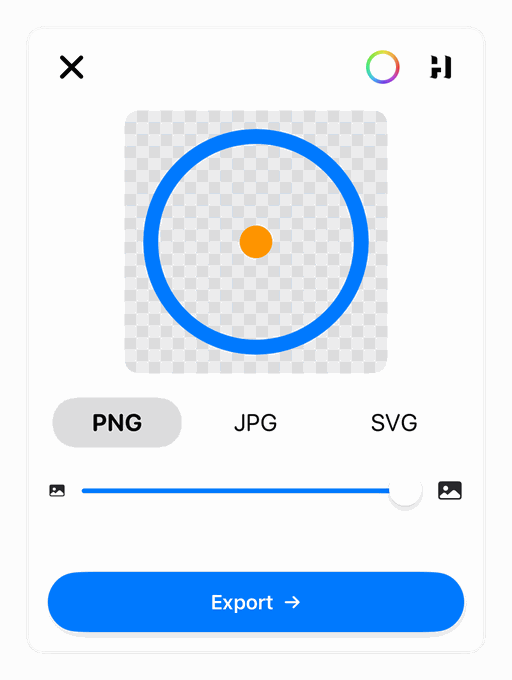
- Background. It starts transparent, shown as a checkerboard. Keep it that way for your master SVG and for Icon Composer, and pick a solid colour for Google Play, profile pictures and any JPG.
- Format. The SVG is a true vector, 1024 units across on a square grid. Make your PNGs from it.
- Size slider. It shrinks the logo inside the frame, from 100 down to 40 percent in 5 percent steps, which fixes circle crops and safe zones. Our small-size cut reaches the bottom corners of its 5 × 5 grid, so a circular crop would clip its base line. At 80 percent, the whole mark fits inside the circle.
- Shadow. Leave it off for app icons, since Google Play adds its own.
- Grid shape. The export follows the grid’s proportions, so a grid 6 dots wide and 4 tall gives a wide image. Every slot in this guide is square, so start on a square grid or pad the image afterwards.
The free web editor on our site is a preview of the app. Its PNG export is 1024 × 1024 on a white background, and its SVG comes on white too.
How to resize a logo without losing quality
Resize down from your largest file, never up, or better, make each size fresh from the SVG. As VistaPrint puts it, enlarging a raster image stretches its pixels until they show.
On a Mac, Preview does it: choose Tools, then Adjust Size, and type the width and height with Scale proportionally ticked (Apple’s steps). YouTube’s help page suggests Preview on a Mac or Microsoft Photos on Windows.
For a batch, use the Mac’s built-in sips command. On macOS 27, where we ran these, it read the SVG directly and drew it as a vector, still sharp at 4,096 pixels:
sips -s format png -z 512 512 logo.svg --out icon-512.png
sips -s format png -z 180 180 logo.svg --out apple-touch-icon.png
sips -s format png -z 96 96 logo.svg --out favicon-96.png
sips -p 1024 1024 --padColor FFFFFF wide-logo.png --out square-logo.png
-z sets the exact height and width. -p pads a wide logo out to a square without stretching it, and in our test it also filled the transparent background with the pad colour. We only tested SVG input on macOS 27, so on an older Mac, start from your largest PNG: sips -z 180 180 logo.png --out apple-touch-icon.png.
For a printer’s PDF, rsvg-convert -f pdf -o logo.pdf logo.svg keeps the logo as vector paths. It comes with librsvg, which Homebrew can install, and we found no embedded bitmaps in the PDF it made.
Whatever the tool, check every file at 100 percent zoom before you upload it: a favicon that looks fine enlarged can be a smudge at its real size.
Logo sizes FAQ
What size should a logo be for social media?
400 × 400 pixels for X, a LinkedIn Page and Mastodon, 320 × 320 for a Facebook Page and 720 × 720 for a Google Business Profile.
What size is a favicon?
For Google Search, a square larger than 48 × 48 pixels, in PNG or ICO. Add a 180 × 180 apple-touch-icon, plus 192 × 192 and 512 × 512 icons if your site has a web app manifest.
What resolution does a logo need for printing?
300 pixels per inch at the printed size, so a logo 2 inches wide needs 600 pixels. Past about 3.4 inches, a 1024-pixel PNG isn’t enough, and a vector file avoids the question entirely.
Should I use PNG or SVG for a logo?
Both: the SVG as your master and for printers, and PNGs for upload boxes that only take bitmaps. Our SVG vs PNG guide compares the two with real file sizes.
How we made this
We read every size here on the platform’s own help pages on 25 September 2026 and copied the numbers from those pages, not from other size charts. The EasyLogo export details come from the app’s source code and the web editor’s code, and the grid and stroke figures are our own arithmetic from them. The example logos were drawn in EasyLogo, and the photos are from Wikimedia Commons.
References
- Google Search Central. Define a favicon to show in search results. Updated 28 August 2026.
- Apple Developer. Configuring Web Applications.
- web.dev. Add a web app manifest.
- web.dev. Adaptive icon support in PWAs with maskable icons.
- Apple. App icons. Human Interface Guidelines, revised 8 June 2026.
- Android Developers. Google Play icon design specifications. Updated 15 June 2026.
- Android Developers. Adaptive icons. Updated 22 September 2026.
- X Help Center. Help with uploading a profile photo.
- LinkedIn Help. Image specifications for your LinkedIn Pages and Career Pages.
- Facebook Help Center. Facebook Page profile picture and cover photo dimensions.
- YouTube Help. Manage your channel branding.
- Mastodon documentation. Setting up your profile.
- Google Business Profile Help. Manage your Business Profile photos & videos.
- VistaPrint Help Center. What is image resolution, and what resolution should I use when uploading? Updated 16 June 2026.
- VistaPrint Help Center. What kind of file formats do you support for uploads? Updated 16 June 2026.
- VistaPrint Help Center. Should I use a raster or vector image to ensure my image prints clearly? Updated 17 June 2026.
- VistaPrint. Business Card Dimensions: Size & Specs.
- Apple Support. Crop, resize, or rotate an image in Preview on Mac.
- MDN Web Docs. Image file type and format guide.
Image credits
- LCD subpixels · Photo: Politelyinsulting, CC BY-SA 3.0 (Resized)
- Metal movable type · Photo: Willi Heidelbach, CC BY 2.5 (Resized)